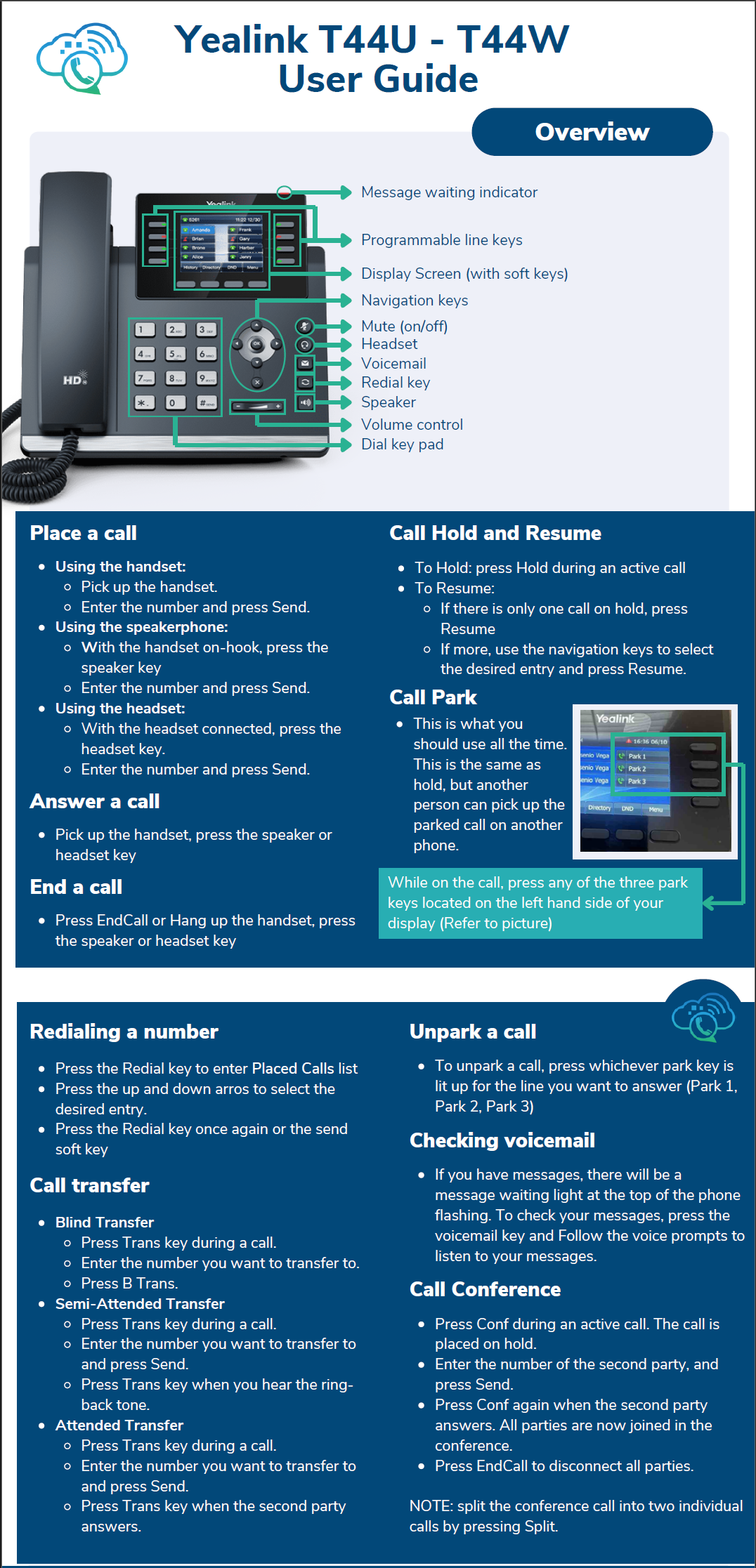
Phone System
Getting Started with your Vonage account
Welcome to the Vonage phone system. To set up your account, please open a web browser and navigate to app.vonage.com. Click on Log in with Single Sign-On, type in your MDY email address, and click Next. Follow the prompts to login with your MDY Google account. These steps are how you would log in to the mobile app or desktop apps as well.
There are a few onboarding steps that should be followed once you're logged in.
- Setting up your voicemail greeting & changing your voicemail access pin
- Installing the Vonage app on your cell phone, and optionally, your computer. (BO users)
Voicemail
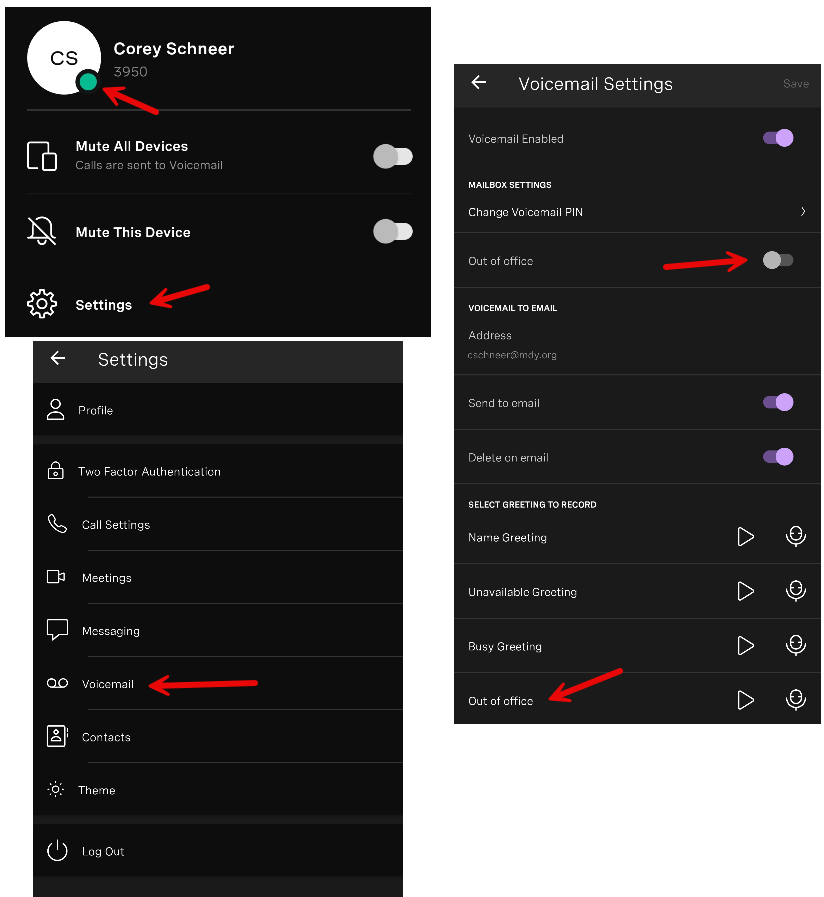
To change your Voicemail settings, open https://app.vonage.com/settings/voicemail on a computer, or open the Vonage app on your phone, access Settings, then choose Voicemail. In this section you can set greetings, set your voicemail to email settings, and change your voicemail pin.
To set greetings, click the Record button next to the greeting type you're trying to set. If you're using a computer, it will prompt you to put in your phone number to record the greeting. Please create greetings for the following categories:
By default, voicemails left for you will be sent to your email as attachments.
Installing the Vonage App
iPhone app - https://apps.apple.com/us/app/vonage-business-communications/id456697646
Android app - https://play.google.com/store/apps/details?id=com.vocalocity.Administration&a=1000
Windows app - https://vbc-downloads.vonage.com/win/VonageBusinessSetup.exe
Mac app - https://vbc-downloads.vonage.com/mac/VonageBusinessSetup.dmg
Call Handling Options
By default, if someone calls your extension, the call will ring your desk phone, as well as anywhere you're logged in to your Vonage account. This includes the Vonage app for your cell phone, Windows or Mac computer, as well as the Vonage website. If you do not answer, the call will be transferred to voicemail.
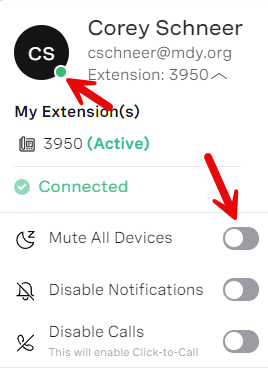
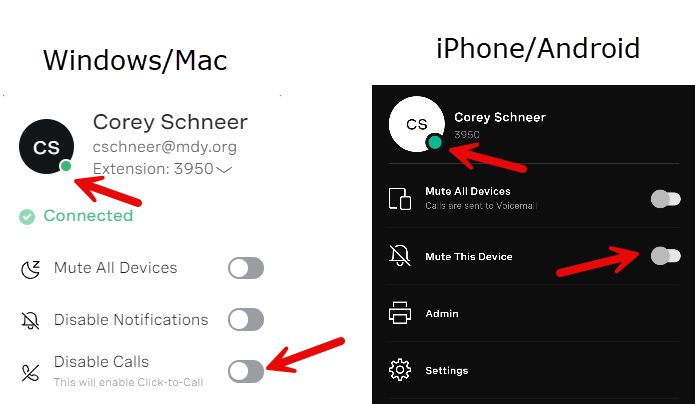
Do not Disturb, Selective muting by device, and Out of Office call handling options are detailed below.
Do Not Disturb - Calls muted on all devices and go directly to voicemail
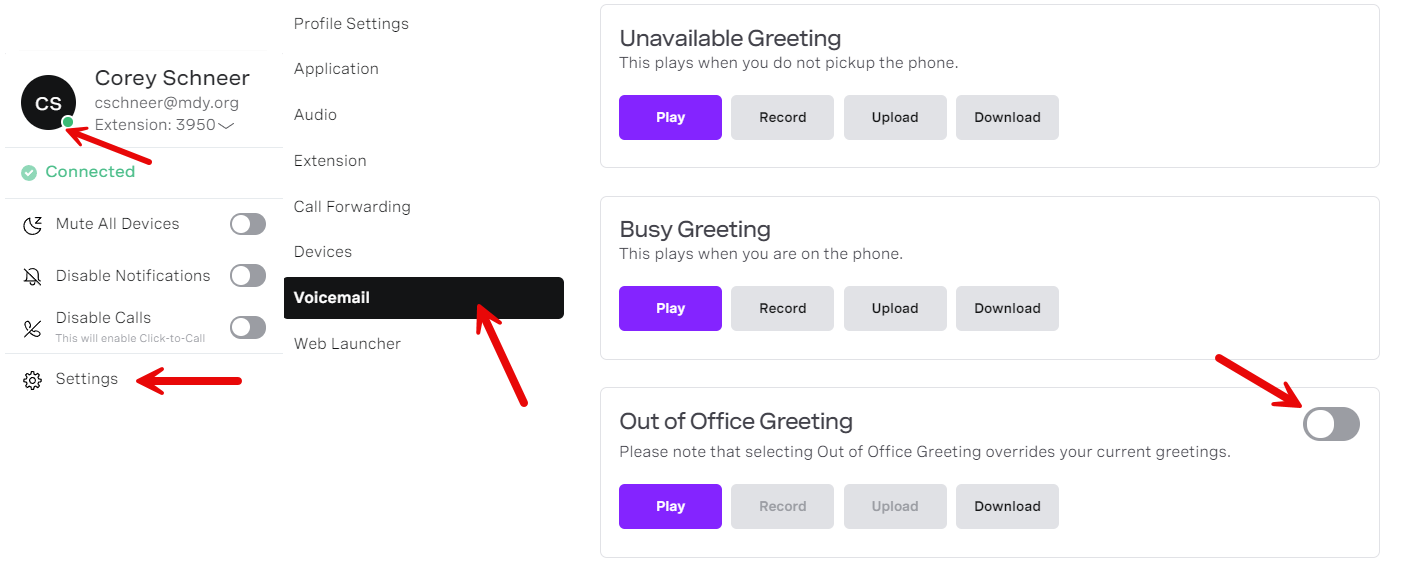
Out of Office - Out of Office Voicemail Message is played for caller
Windows/Mac
iPhone/Android
Mute calls on single device
If you want to mute calls on your cell phone but allow calls on your desk phone or computer app, follow these steps to mute/unmute on each device.
Yealink T44U Phone